MyAIVideoMyAIVideo

Tiptoeing In My Jordans AI Video Generator

One portrait, built-in barn tiptoe template, 9:16 output — no prompt or model picker.

Upload one photo

Use a clear, front-facing portrait. You generate yourself as the tiptoeing dancer in the template; the partner in the hay stays from the template.

JPG / PNG / WebP · 10 MB

Aspect Ratio

9:16 only — matches the barn template.

Resolution

Cost: … credits

15s · 9:16 · 720p

Failed generations return credits.

Built-in barn tiptoe template

Unofficial fan preset. Not affiliated with Riff Raff, any film studio, Nike, or the original meme posters.

WHAT IS TIPTOEING IN MY JORDANS

The viral barn tiptoe clip generated from one photo

Tiptoeing In My Jordans is a social video meme built from a short AI barn dance. This generator turns one portrait into the tiptoeing performer inside that look — no separate prompt tool required.

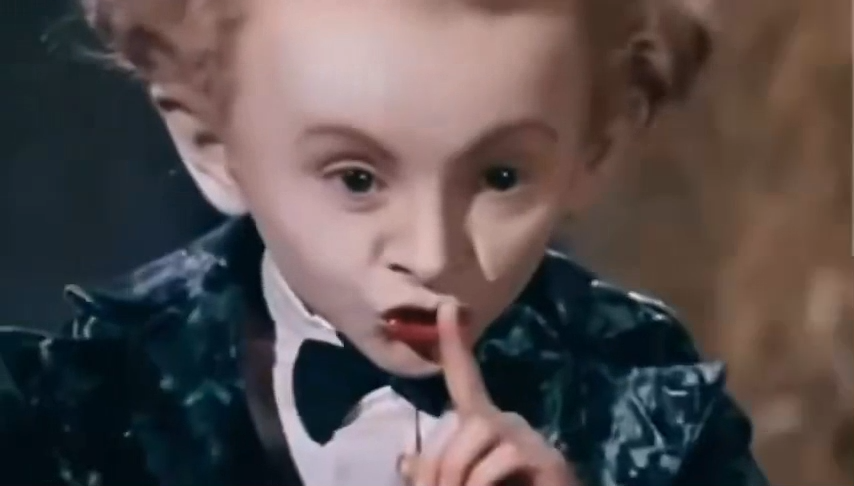
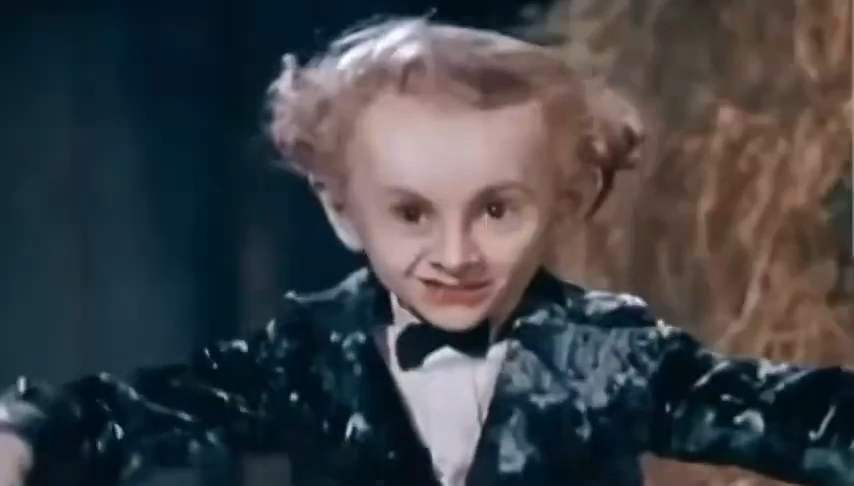
Barn tiptoe meme template frame with straw and a dancer in a fairy-tale coat
Origin

The clip people remix

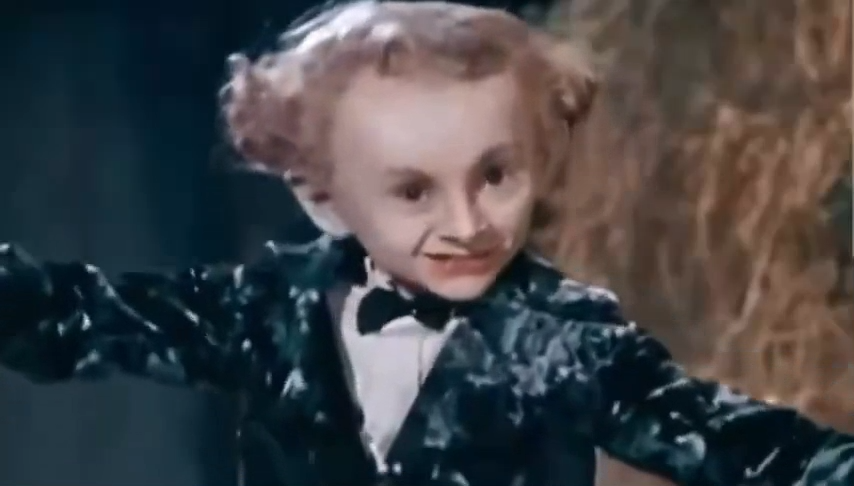
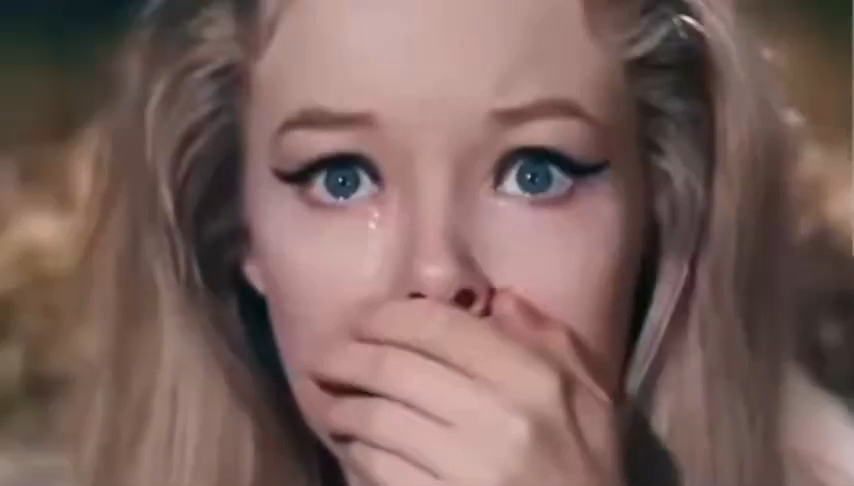
The meme is a short AI-made video that looks like a retro fairy-tale film: a small dancer in a dark tailcoat tiptoes through a barn full of straw while another person reacts in the hay. In late 2025 and early 2026, editors paired the motion with Riff Raff's song "Tip Toe Wing In My Jawwdinz," whose hook sounds like "tiptoeing in my Jordans." That pairing spread on TikTok and X, and creators started remaking the clip with their own photos as the dancer.

Close view of the AI barn scene that people mistake for an old fantasy film
Fact check

It is AI, not a lost movie scene

Many viewers assumed the footage came from the 1987 Rumpelstiltskin musical or an old Russian fantasy film. Culture sites that track memes describe the barn clip as AI-generated footage styled like vintage Technicolor fantasy — not a scene you can license from a studio catalog. That is also why one-photo template generators work: there is no single actor performance to recreate by hand.

Tiptoeing In My Jordans generator barn template preview on MyAIVideo
Tool

Generate directly on this page

Upload one portrait, read the credit quote for the built-in barn template, then generate. MyAIVideo maps your photo onto the tiptoeing dancer with a fixed 9:16 clip — you do not open Text to Video or write a prompt first. The partner in the hay stays from the template in this MVP.

HOW IT WORKS

Make a Tiptoeing In My Jordans video in three steps

The barn camera path, shush gesture, and tiptoe timing are locked to the template. Your job is to supply one photo you are allowed to use.

Upload one portrait of the dancer

Choose a clear, front-facing photo with good light. You generate yourself as the small tiptoeing performer in the template, not the person sitting in the hay. Group shots, sunglasses, and heavy filters make identity drift more likely.

Confirm the credit quote

The generator loads a price for the exact template length at 720p and 9:16. Sign in if prompted. The quote must appear before the generate button unlocks, so you are not surprised after upload.

Generate, download, add sound in TikTok

Wait for the image-plus-template pass to finish, then download the MP4. Add the trending audio inside TikTok, Reels, or Shorts using that app's licensed sound library. Label the post as AI-generated if your audience expects transparency.

PHOTO TIPS

Photos that work well for barn tiptoe template generation

The template moves quickly. A boring, well-lit portrait usually beats a dramatic pose.

Face the camera

Eyes toward the lens, mouth relaxed, hair not covering the cheeks. The model needs a stable identity anchor while the body follows dance motion.

Skip crowds and filters

One person per upload. Beauty filters, stickers, and tiny faces in the background increase glitches when the tiptoe cycle starts.

Permission matters

Only upload photos you took or have rights to use. Do not drop celebrities or coworkers into the hay barn without consent.

WHAT TO MAKE

One portrait, a few ways to use the barn clip

The template supplies the tiptoe timing. Your photo supplies the dancer.

Use a clear front-facing photo of yourself. The clip keeps the barn camera path and generates you as the dancer in the template.

Portrait generated as the Tiptoeing In My Jordans barn dancer in the template
Single approved portrait ready for the barn tiptoe template
Reviewing the finished vertical barn tiptoe MP4 before download
Credit quote and barn template settings on the Tiptoeing In My Jordans generator

GOOD TO KNOW

What this Tiptoeing In My Jordans tool will and will not do

This page generates the tiptoeing dancer from one portrait in a fixed barn template. It does not accept a video you upload, it does not generate both actors in one pass, and it does not write a new scene from a text prompt. Output stays at 720p vertical 9:16 for the measured template length shown beside the credit quote.

The download does not include Riff Raff's track or any other copyrighted TikTok sound. Add audio where you publish, using sounds that platform already licenses. Spelling varies — tip toe in my Jordans, tiptoe meme, and rumpelstiltskin tiptoe searches usually mean the same hay-barn clip.

MyAIVideo is independent. This Tiptoeing In My Jordans AI video generator is not made, endorsed, or sponsored by Riff Raff, Nike or Jordan Brand, TikTok, Instagram, film studios, or the accounts that first posted the AI barn clip. There is no wallet, token, or official merch tie-in here.

Faces can drift, hands can look wrong, and the tiptoe cycle will not match every viral edit frame for frame. Treat the file as a draft, review it before posting, and regenerate with a sharper portrait if needed. Failed provider jobs return reserved credits to your balance.

Tiptoeing In My Jordans generator FAQ

Straight answers about the meme, the photo, credits, and audio.

Ready to tiptoe in the barn?

Jump back to the Tiptoeing In My Jordans AI video generator, add a portrait, and generate only after the template preview and credit quote both look right.

Tiptoeing In My Jordans AI Video Generator | MyAIVideo