MyAIVideoMyAIVideo

Make the Subway Singing AI Trend From One Photo

One portrait, built-in train run template, 9:16 output — chase the train, sing on the platform, run again. No prompt or model picker.

Upload one photo

Use a clear portrait with your face visible. Half-body or full-body works best for the chase and run.

JPG / PNG / WebP · 10 MB

Aspect Ratio

9:16 only — matches the train run template.

Resolution

Cost: … credits

10s · 9:16 · 720p

Failed generations return credits.

Built-in subway train run template

Unofficial fan preset. Not affiliated with Tom Odell, transit agencies, TikTok, or the original trend posters. Not the in-car Ain't No Mountain subway singing format.

WHAT IS SUBWAY SINGING AI

The train run trend generated from one photo

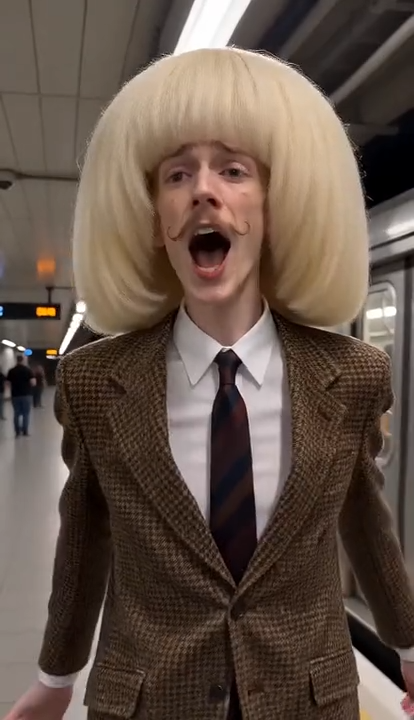
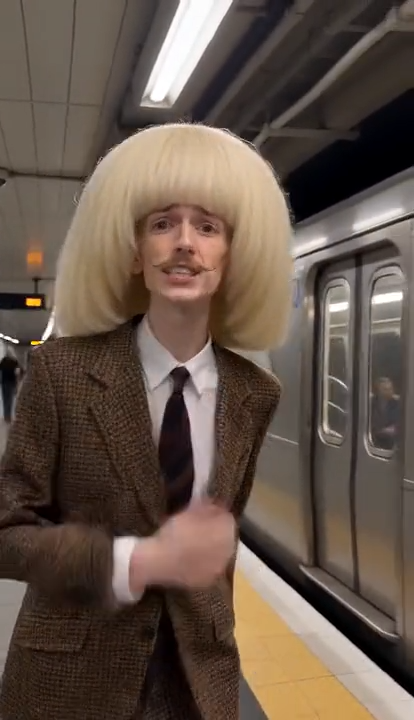
Subway Singing AI on MyAIVideo is the viral platform chase: sprint beside a departing train, slap the window, belt a heartbreak line to camera, then run down the platform still singing. This generator maps one portrait into that fixed clip — not a freeform text-to-video prompt.

Subway Singing AI train run template — chasing a departing train on the platform
Train run

The clip people remake

Creators call it the train run trend or the Another Love subway trend: a busy underground station, yellow platform edge, silver train pulling away, and someone far too emotional about it. The format spread from CapCut-style templates where one photo drops into a short chase-and-sing sequence built for TikTok, Reels, and Shorts.

Subway platform heartbreak singing moment in the train run AI template
Different trend

Not the in-car singing meme

Search also surfaces Ain't No Mountain subway singing AI — a solo selfie inside an empty car with wired earphones. That is a separate template and song pairing. This page is only the platform chase, window slap, and run toward camera version of Subway Singing AI.

Subway Singing AI generator template preview on MyAIVideo
Tool

Generate on this page

Upload one portrait, confirm the credit quote for the built-in train run template, then generate. MyAIVideo uses wan-2.7-video-edit with a site-owned vertical clip about ten seconds long. You do not pick models or write prompts here.

HOW IT WORKS

Make a Subway Singing AI video in three steps

The chase, cut, chest grab, and handheld run are locked to the template. Your job is one photo you are allowed to use, then licensed audio where you publish.

Upload one portrait

Pick a clear photo of one person. Half-body or full-body often survives the run better than a tight face crop. You star in the chase; background commuters stay small and blurred from the template.

Confirm the credit quote

The tool loads a price for the template length at 720p and 9:16 before generate unlocks. Sign in when prompted. Opening the page or uploading a preview does not charge credits.

Generate, download, add song on TikTok

Wait for the image-plus-template pass, then download the silent MP4. Add Another Love or another track from your platform's music library so lip movement lines up. Label AI-generated content if your audience expects it.

PHOTO TIPS

Photos that work well for train run template generation

The template moves fast along the platform. A sharp, well-lit portrait usually beats a heavy filter or a group shot.

Show the face clearly

Eyes visible, mouth not hidden, hair off the cheeks. The model needs a stable identity while the body sprints and sings.

Prefer half or full body

The chase and run show more than your shoulders. A full-length photo of yourself alone often matches competitor guidance for this trend.

Permission and one person

Only upload photos you took or have rights to use. One person per file — no crowds, sunglasses, or public figures without consent.

THE 10-SECOND BEAT

What the built-in train run template does

Timing follows the site template, not a song file in your download. This is the Subway Singing AI sequence users expect from the train run trend.

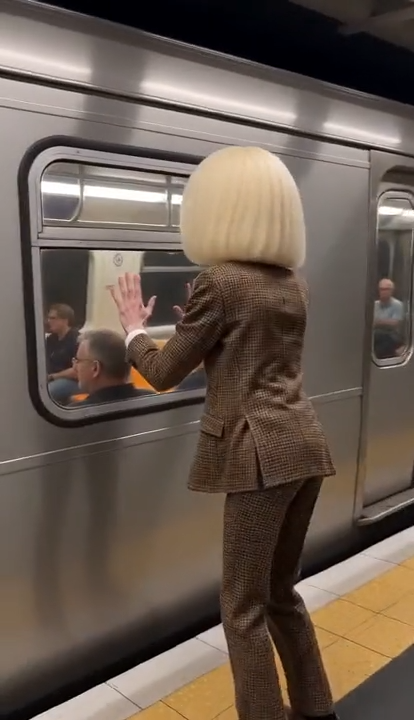
Side view on the platform: run along the yellow edge beside a departing train, catch a window, slap the glass.

Chasing a subway train along the platform in the train run template
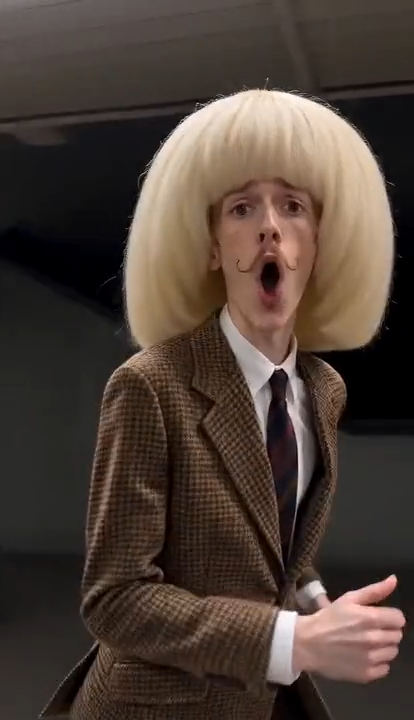
Singing to camera on the subway platform in Subway Singing AI
Running and singing along the subway platform in the AI template
Credit quote and train run template settings on Subway Singing AI

GOOD TO KNOW

What this Subway Singing AI tool will and will not do

This page generates the main performer from one portrait in a fixed train run template using image-plus-video edit at 720p vertical 9:16 for about ten seconds. It does not accept your own video, generate multiple lead actors in one pass, or create a new scene from a text prompt. It is not the Ain't No Mountain in-car singing template or the phone-taped-to-train stunt format.

The download does not include Tom Odell's Another Love, any other copyrighted TikTok sound, or AI-generated music. Add audio where you publish, using sounds that platform already licenses. Subway Singing AI searches sometimes mean different memes — this tool delivers only the platform chase-and-sing train run.

MyAIVideo is independent. This Subway Singing AI generator is not made, endorsed, or sponsored by transit operators, record labels, artists, TikTok, Instagram, or accounts that first posted the trend. There is no wallet, token, or official merch tie-in.

Faces and hands can drift during fast running. Likeness may not match every frame of a viral edit. Treat the file as a draft, review before posting, and regenerate with a sharper portrait if needed. Failed provider jobs return reserved credits to your balance.

Subway Singing AI generator FAQ

Straight answers about the train run trend, photos, credits, audio, and similar memes.

Ready to chase the train?

Jump back to the Subway Singing AI generator, add a portrait, and generate only after the template preview and credit quote both look right.

Subway Singing AI — Train Run Video From One Photo | MyAIVideo