Photo
One photo plays both beats
The same person appears before and after the cut. Use a photo you may use, with one clear face. A second portrait is not part of this preset.
 MyAIVideo
Upload one photo for a Cow Makeup AI transition. The preset follows a fixed vertical template: a few marks, then a cut to the cow-print look, with the template soundtrack.
Use a clear head-and-shoulders photo. Both eyes and brows should stay visible.
JPG / PNG / WebP · 10 MB
Aspect Ratio
9:16 only — vertical cow makeup transition.
Resolution
Cost: … credits
15s · 9:16 · 720p
Failed generations return credits.
Cow Makeup AI example
Unofficial Cow Makeup AI preset. Not affiliated with the original posters. You cannot upload a different song on this page.
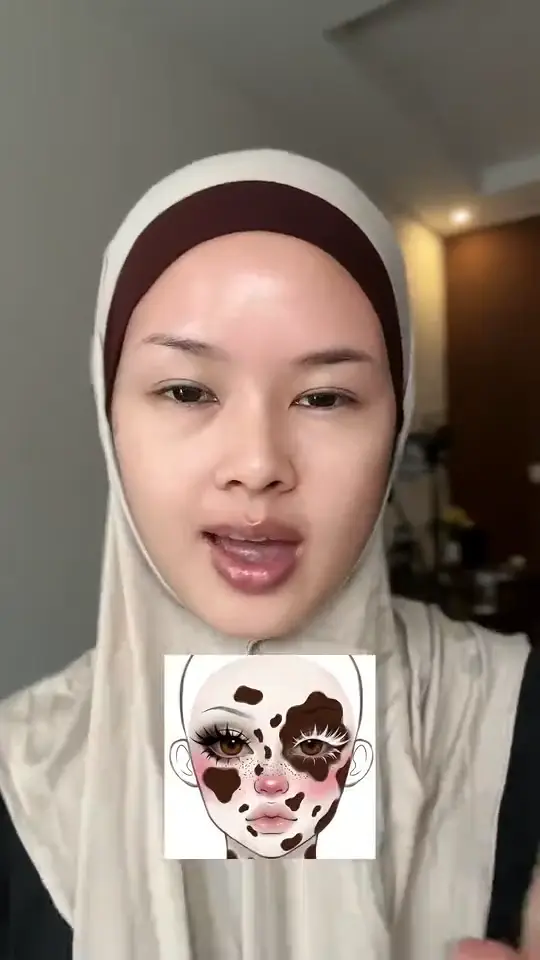
Cow Makeup AI turns one head-and-shoulders photo into a short vertical transition. The locked template starts with a plain look and a few cow-print marks, then cuts to the fuller cow makeup: patches, a pink nose, and the costume details in that clip. It is a video, not a still makeup filter, and it is not an open prompt box.
The same person appears before and after the cut. Use a photo you may use, with one clear face. A second portrait is not part of this preset.
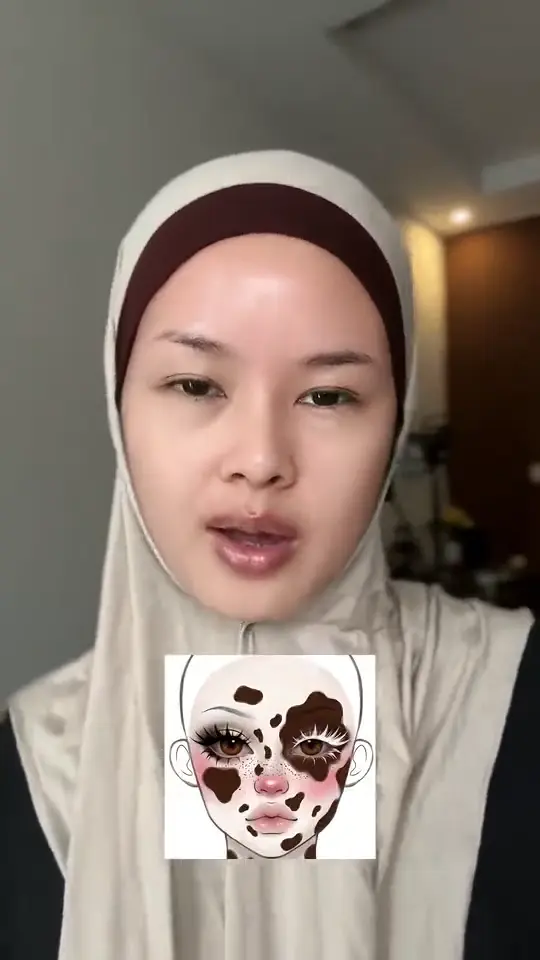
You do not write the scene. The template owns the framing, the gesture, and the cut to the cow-print look. Your photo replaces the performer.
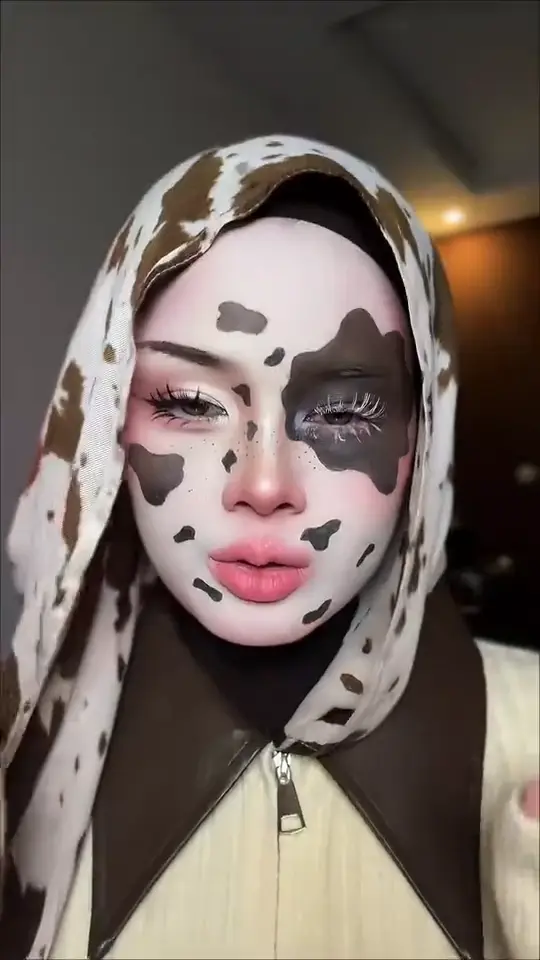
Some tools only paint cow makeup onto a frozen photo. This Cow Makeup AI page exports an MP4 of the transition. If you want a freeform clip, use image to video instead.
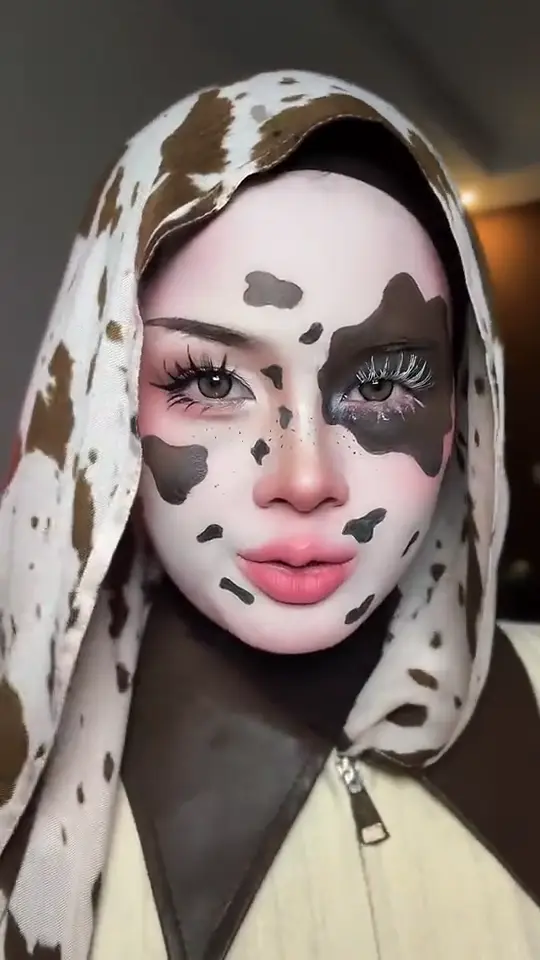
The example plays the soundtrack that is already in the template file. This page does not accept a different audio upload.
One photo is required. Opening the page does not charge credits. The 15-second price is visible before you generate.
Choose a sharp head-and-shoulders photo. Both eyes and the brows should be visible. Hats, sunglasses, and heavy filters hide the features the paint has to follow.
The model, 720p resolution, and 9:16 frame are set. Generate stays off until a photo and a price are both ready.
Play the MP4 and check the face on both sides of the cut. A failed job returns the reserved credits.
These tips come from how the transition is framed, not from a measured test of every face. A clear portrait is still the safest start for Cow Makeup AI.
Even light and a visible jawline hold up better than a hard profile. Leave a little room around the hair.
Sunglasses, a hat brim, or a beauty filter can hide the eyes and brows the later makeup has to sit on.
Use a photo of yourself or of an adult who agreed. Do not upload a stranger, a celebrity, or a film still.
The template can replace the shoulders and background in the reveal. Hair shape is more likely to stay than the exact top.
Timing follows the 15-second site template. This is the Cow Makeup AI sequence on the page.
You face the camera in an everyday look, close enough that the face fills the vertical frame.
GOOD TO KNOW
This page puts one photo into a locked cow makeup transition and exports a vertical MP4. It does not accept a second photo, a video you upload, custom lyrics, or a written scene. It is not a still cow-makeup filter that only returns a painted portrait.
You cannot upload your own song or replace the template soundtrack here. MyAIVideo is not affiliated with the people who first posted the public trend.
Faces, hands, paint edges, horns, and the cut can differ from the template. Review the whole clip before you share it. A failed job returns the reserved credits. A new account’s signup credits are not a promise that this clip is free.
Image to video on this site is the open-ended one-photo tool. Subway Singing AI is a different locked template. Use those pages when you do not want this cow-print reveal.
Answers about the photo, the video, the missing song, and what this page is not.
Upload one photo you are allowed to use. Generate only after the example and the credit quote are both on the page, then watch the cut before you share it.